
Data Formatter
Purpose: Validate mission critical data to ensure successful aircraft loading for Army pilots.
A mission planner’s workflow can consist of multiple planning applications all with their own expertise and purpose. Data Formatter ensures when all critical data is gathered forming the Mission that it is structured and formatted in accordance with the aircraft’s acceptance criteria.
Environments: Windows | Web | Android
In a traditional workflow planners create missions consisting of routes, performance data, communications, tactical graphics, maps, visual overlays, and other data types using their respective programs and import that data into an AWE. The legacy AWE program validates the errors to an extent and allows that data to be transferred to a DTD for use in the aircraft.
This process sounds straight forward, but when examined closer there are some pain points that make the legacy AWE software not ideal under certain circumstances.
Overly Complex: It was designed with the capability to create a mission without importing from external sources. This is great in theory, however all this editing capability prevents the external mission files from being the ‘source of truth’ for the mission if areas begin being edited in the AWE.
Separate Programs for Aircraft Variants: Each aircraft variant has its own program version for its use. This separate software development causes user interfaces and workflows to become different overtime for the same tasks.
Hasty Edits: If last minute edits need to be made pilots may not possess a GETAC when in transition to the aircraft and have to ‘hand jam’ information through the aircraft avionics which can be cumbersome.
Data Formatter is included in a new product suite each with responsive design in mind allowing it to be accessible via Android, Windows, or web application.
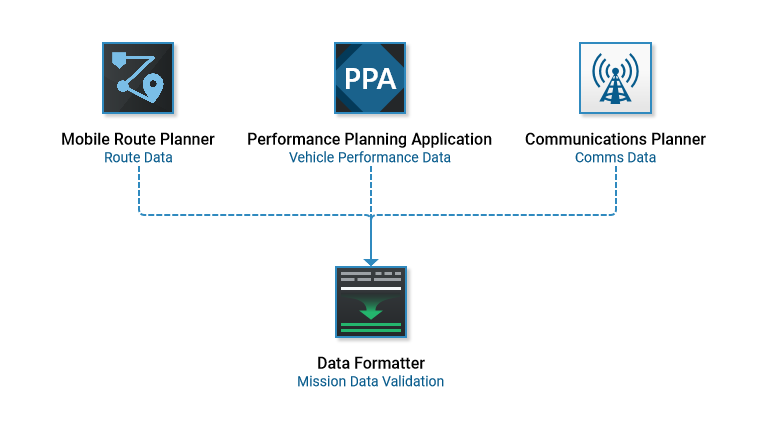
Scope of Data Types Imported
The diagram below is a simplified user flow of the main categories available in the UI. Each data category has its own detailed flow showing more specifics about its import and data that is displayed and validated.
Based upon user input among various airframe pilots data types were sorted into 13 main categories to simplify the amount of menu list items to reduce cognitive effort. Each category may contain various data types but card sorting and qualitative interviews determined the pilot’s location expectations.
Product Screenshot Examples
Routes
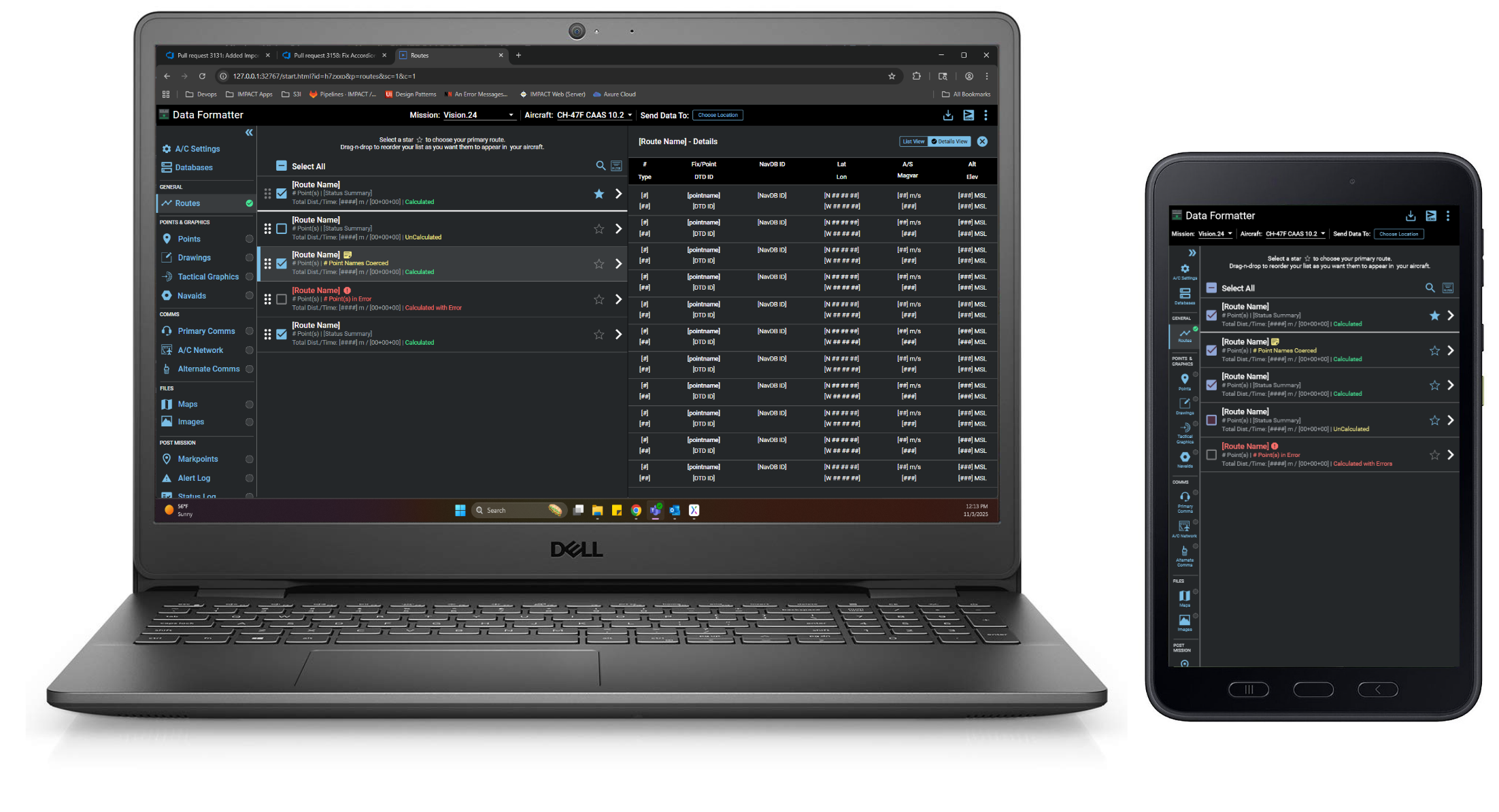
Imported routes are available for mission selection in the main body panel. General information about the route is readily available within the item’s sub-text. Highlighting a route displays a details view of its route point information at the right. If validation errors do occur that prohibit aircraft acceptance they are clearly marked through disabled selection checkboxes and error styling.
Communications
In other categories, like comms, the UI is tailored to its specific needs. In this case a single plan is imported contains many types of comms data so the main file is identified in the body header with its information below organized by radio types. Feature improvements like generating a commo card (knee card) of the imported comms data that pilots frequently reference during a mission were also incorporated.