
Comms Planner
Communicating with squad pilots, ground forces, and ground controllers is absolutely essential to the success of critical missions. When creating the next generation communications planner it needed to ensure that creating a comms plan could be done efficiently and allow for any flexibility the mission at hand demands.
An analysis of legacy comms planning software was conducted to understand existing solutions and learn what its pain points may be.
“I can create radio frequencies that my aircraft doesn’t accept.”
“In early stages I prefer to organize my plan by callsign instead of radio.”
Through interviews with subject matter experts it was determined that making a few adjustments to the previous workflow could provide more flexibility when creating the plan as well as extending the workflow to include more of the planner intent of using radio frequency sets.
During initial planning allow multiple radios to be associated to one callsign. There may be multiple ways to contact ground, for example, so enabling the link of radios to a single source is more efficient than repeating callsigns for separate radio entries.
Provide aircraft specific validation for what radios can be included in the comms plan in addition to specific frequency validation rules as they differ between aircraft variants.
Allow combined radio presets into a custom frequency set that can be used at different points during a mission. For example set number one could be used departure with radios for various ground units and then swapped to set number two during mission execution that would include squad only contacts.
“In reality my frequencies are used in frequency sets.”
Redesign Screenshots
Frequencies
All the radios are on a row are tied to a single callsign to create desired user mapping. The amount of frequency rows is not limited allowing the user to input alternate comms options providing flexibility in case scenarios change prior to mission execution. Individual radios may be assigned to preset lists for mission use.
Presets
The presets tab aligns more with the legacy comms planner in that it is a list of only presets that will be used in the mission. After initial selection this tab can be reviewed to view lists as they would appear in the aircraft to ensure all desired radios are included and in the appropriate order.
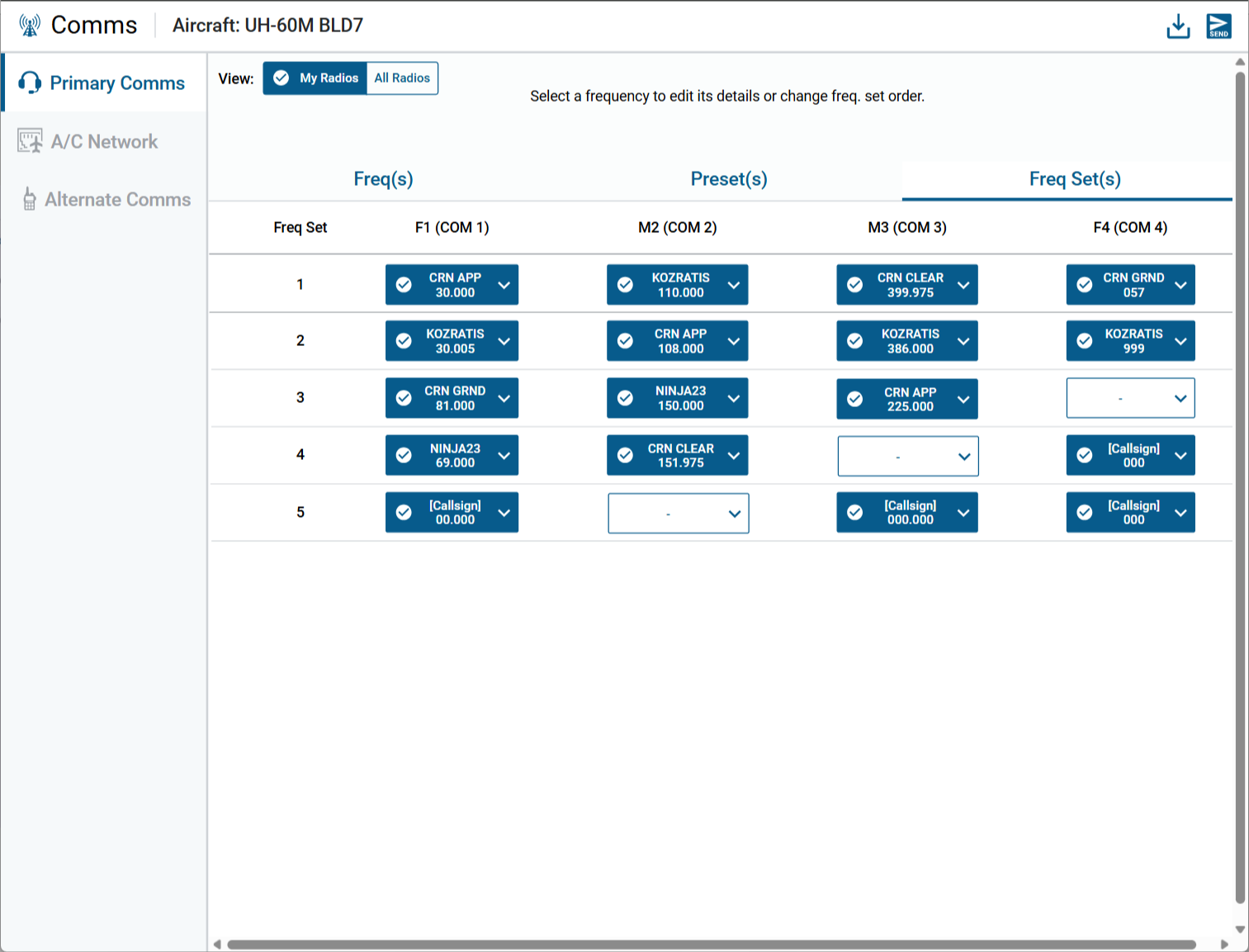
Frequency Sets
Finally sets can be created as the last stage in the workflow. This is usually made of presets from different callsigns that are used during the same stage of the mission.